


Description
Download 3D Titanic Screensaver – 3D Titanic, screensaver, historical, luxury, underwater, dreamlike, nostalgic, immersive, visual, journey
Overview
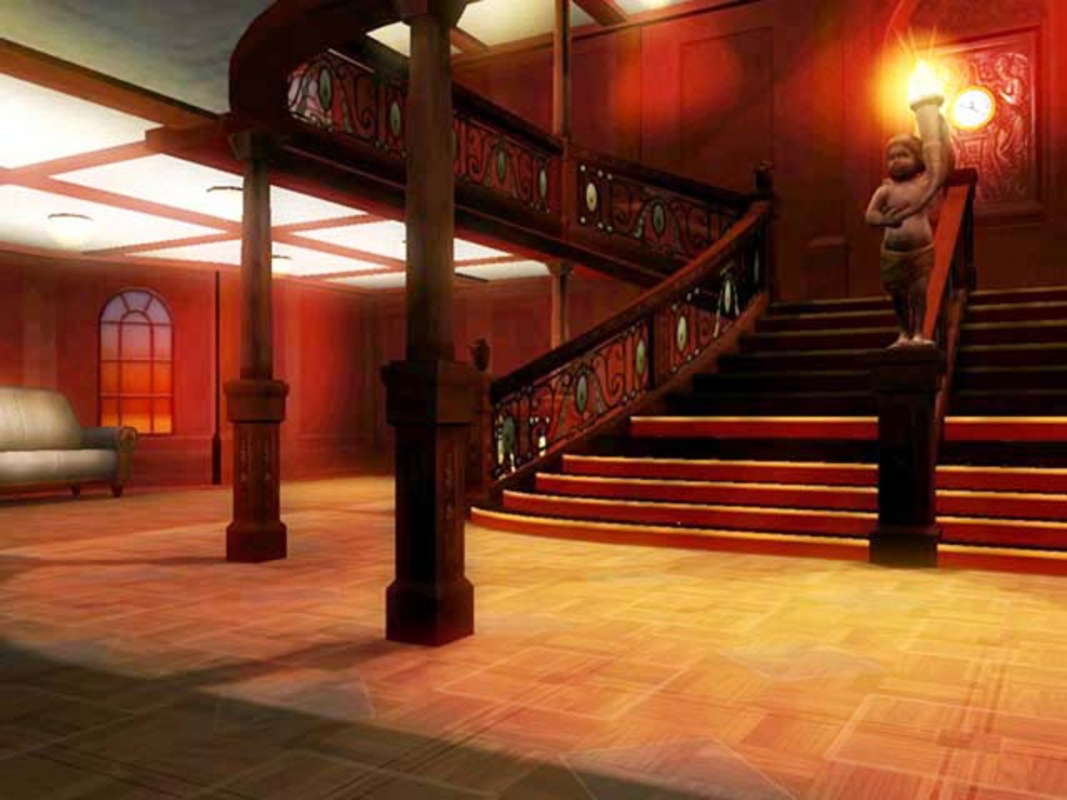
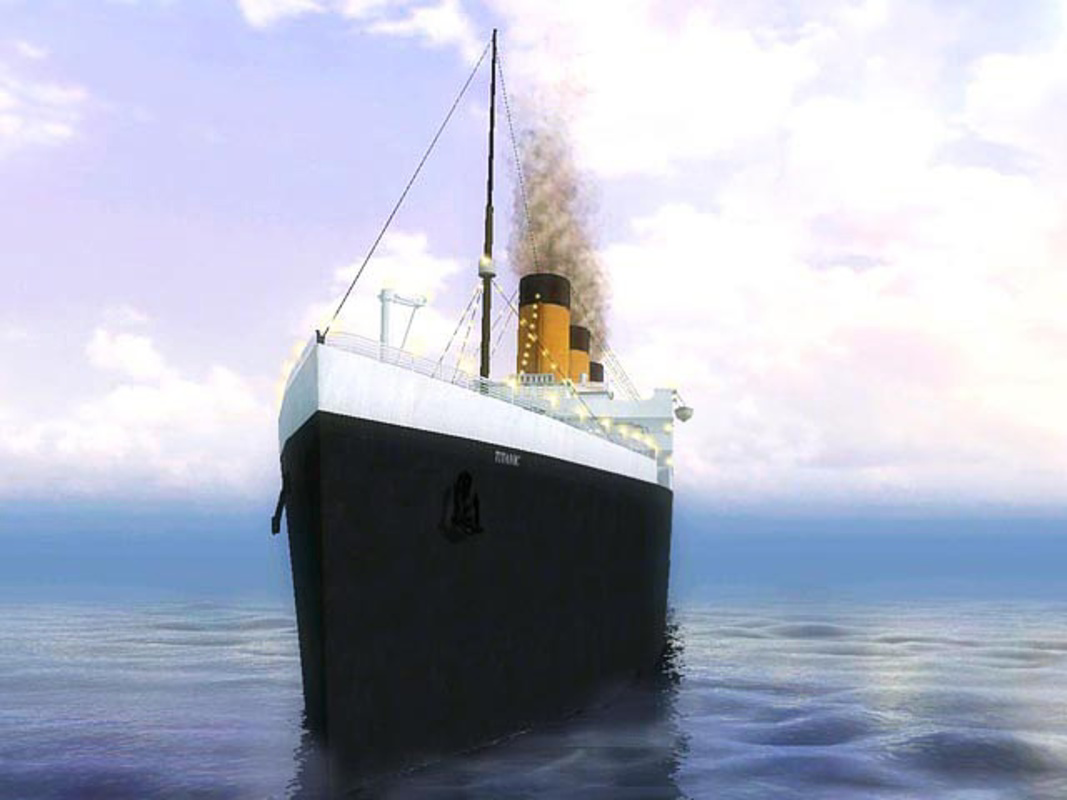
The 3D Titanic Screensaver offers a visually rich and emotionally resonant experience, transforming idle screen time into a journey through one of history’s most iconic maritime tragedies. Designed for users with an appreciation for historical storytelling and cinematic visuals, the app recreates the grandeur of the RMS Titanic in three-dimensional detail. It enables users to explore both the ship’s luxurious interiors and its current state resting on the ocean floor, blending nostalgia with realism. The screensaver serves as a digital homage to the vessel’s legacy, appealing to history enthusiasts, maritime buffs, and fans of immersive visual experiences.
While the developer, Thomas P. Larson, is credited with the creation, no additional background information is available. The app was released in 2007, placing it among early digital tributes to the Titanic’s story. Its purpose extends beyond simple decoration—it functions as a subtle educational tool, encouraging reflection on the ship’s journey and the human stories behind it. Real-world use cases include personal computer customization, classroom presentations on maritime history, and ambient background visuals during study or relaxation sessions. Despite its age, the screensaver remains relevant in the digital ecosystem as a niche but enduring example of historical visualization through screen-based media.
Key Features & Functionality
- Immersive 3D Experience: The screensaver renders the Titanic with detailed three-dimensional graphics, allowing users to view the ship from multiple angles. The depth and texture of the visuals create a lifelike atmosphere, simulating the sensation of standing aboard the vessel during its final voyage.
- Historical Recreation: Carefully crafted visuals depict key moments in the Titanic’s journey, from its departure to its final descent. This feature enhances the educational value by grounding the experience in real historical context, appealing to users interested in factual storytelling.
- Underwater Exploration: Users can witness the Titanic’s current resting place on the Atlantic seabed. The underwater sequences are rendered with a serene yet haunting aesthetic, emphasizing the passage of time and the vessel’s enduring presence in the deep ocean.
- Customizable Settings: The app includes adjustable display options, allowing users to balance visual quality and system performance. This flexibility ensures compatibility across a range of hardware configurations, making it accessible to users with older or less powerful devices.
- Dreamlike Atmosphere: Smooth animations and ambient audio elements combine to create a meditative experience. The overall effect is cinematic and reflective, ideal for use during quiet moments or as a backdrop for contemplation.
Each feature contributes to a cohesive narrative experience. For instance, users can switch between viewing the ship in its prime and observing its remains, fostering a deeper emotional connection. The customizable settings allow users to tailor the experience—choosing between high-detail rendering or smoother performance based on their system’s capabilities.
Interface, UX & Performance
The interface of 3D Titanic Screensaver is minimal and focused on visual immersion, with no complex menus or navigation elements. Users are presented with a straightforward setup process, likely involving a simple configuration panel to adjust display modes and activation triggers. The design prioritizes aesthetics over interactivity, aligning with the app’s purpose as a passive visual experience.
Navigation is intuitive, relying on basic system-level controls to activate and deactivate the screensaver. The user experience is optimized for ease of use, with no learning curve required. Although the developer did not list formal performance metrics, the app’s file size of 3.1 MB suggests efficient resource usage. It is likely to run smoothly on systems meeting the minimum requirements for Windows, including older hardware.
Responsiveness is expected to be consistent, given the app’s lightweight nature and static animation loops. Stability appears reliable, as the screensaver operates without user interaction and does not require continuous system resources. Users should experience minimal lag or crashes during normal use, particularly on systems with stable graphics drivers.
Platform Compatibility & Technical Requirements
3D Titanic Screensaver is designed for the Windows operating system. The app is available in version 1.0 and has a file size of 3.1 MB, indicating a compact and lightweight footprint. The developer did not specify minimum OS requirements, so compatibility with modern Windows versions cannot be confirmed. However, given its release date in 2007 and small size, it may function on older Windows editions such as XP, Vista, or 7.
For users on newer Windows systems, compatibility may depend on system architecture and driver support. The app does not appear to require additional software or dependencies. Users are advised to verify system compatibility before installation, especially if using Windows 10 or 11. The lack of official documentation on supported platforms means users should proceed with caution and consider testing the app in a secure environment.
Pros and Cons
Pros
- Highly immersive 3D visuals that bring historical events to life.
- Minimal system requirements make it accessible to older or low-spec devices.
- Customizable settings allow users to optimize performance and visual quality.
- Free to download and use, with no in-app purchases or ads.
- Offers a unique blend of education, nostalgia, and artistic expression.
Cons
- Released in 2007, which may raise concerns about compatibility with modern operating systems.
- Limited interactivity; the experience is passive and non-interactive.
- No official updates or developer support since release.
- Visuals may appear dated by today’s standards, though they remain effective for the intended purpose.
- Platform is limited to Windows only, with no information on availability for other systems.
FAQ
Is 3D Titanic Screensaver safe to download?
Yes, the app is free and does not include malware or intrusive ads. However, as with any software from older sources, users should scan the file with antivirus software before installation.
Can I install 3D Titanic Screensaver on Windows 10 or 11?
Compatibility is not guaranteed. While the app may run on newer Windows versions, it was released in 2007 and may not support modern system features or drivers. Testing in a secure environment is recommended.
Does the screensaver require an internet connection?
No, the screensaver operates offline. All visuals and audio are included within the app package, so no internet access is needed during use.
Are there any updates available for 3D Titanic Screensaver?
The developer has not released any updates since the original 2007 release. The app remains unchanged in its current form.
Can I use this screensaver on multiple devices?
Yes, as long as the devices are running Windows and meet the app’s system requirements. The free license allows for personal use across multiple machines.
Final Thoughts
3D Titanic Screensaver stands as a thoughtful and atmospheric tribute to one of history’s most enduring tragedies. While its technical specifications are modest and its release date reflects an earlier era of digital media, the app continues to deliver a meaningful experience for those drawn to the Titanic’s legacy. Its dreamlike visuals, historical authenticity, and emotional depth make it a standout choice among screensavers. For history lovers, nostalgic souls, or anyone seeking a moment of quiet reflection, this app offers a unique way to engage with the past. Despite its age, it remains a compelling example of how simple software can evoke powerful emotions.
Download 3D Titanic Screensaver now
Guides & Tutorials for 3D Titanic Screensaver
How to install 3D Titanic Screensaver
- Click the Preview / Download button above.
- Once redirected, accept the terms and click Install.
- Wait for the 3D Titanic Screensaver download to finish on your device.
How to use 3D Titanic Screensaver
This software is primarily used for its core features described above. Open the app after installation to explore its capabilities.
User Reviews for 3D Titanic Screensaver 0
No reviews found


